How Billing and Discounts Work for Agency Accounts
Last updated on August 13, 2026
On this page
Partner tiers
Tier | Active sites | Discount |
|---|---|---|
Starter | 0–4 | None |
Bronze | 5–24 | 25% |
Silver | 25–49 | 35% |
Gold | 50–99 | 45% |
Platinum | 100+ | 50% |
Discounts begin at Bronze. Starter-tier sites are charged at the standard rate.
How discounts are calculated
Qualifying versus paid sites
Your dashboard may show a tier while some of your sites are still in trial. You receive that tier's discount once those sites convert to paid. The exception is billing alignment: if adding a phase crosses a tier threshold, the phases billing at that point receive the discount immediately, even for sites that were in trial until that billing event.
Changing a plan
Billing date alignment
The billing model
When the toggle appears
The alignment toggle appears from your second phase onward, whenever an earlier phase is still in an active trial. It is on by default.
The toggle can appear multiple times over the life of your account. It is shown whenever you add a new phase while an earlier phase is still in trial.
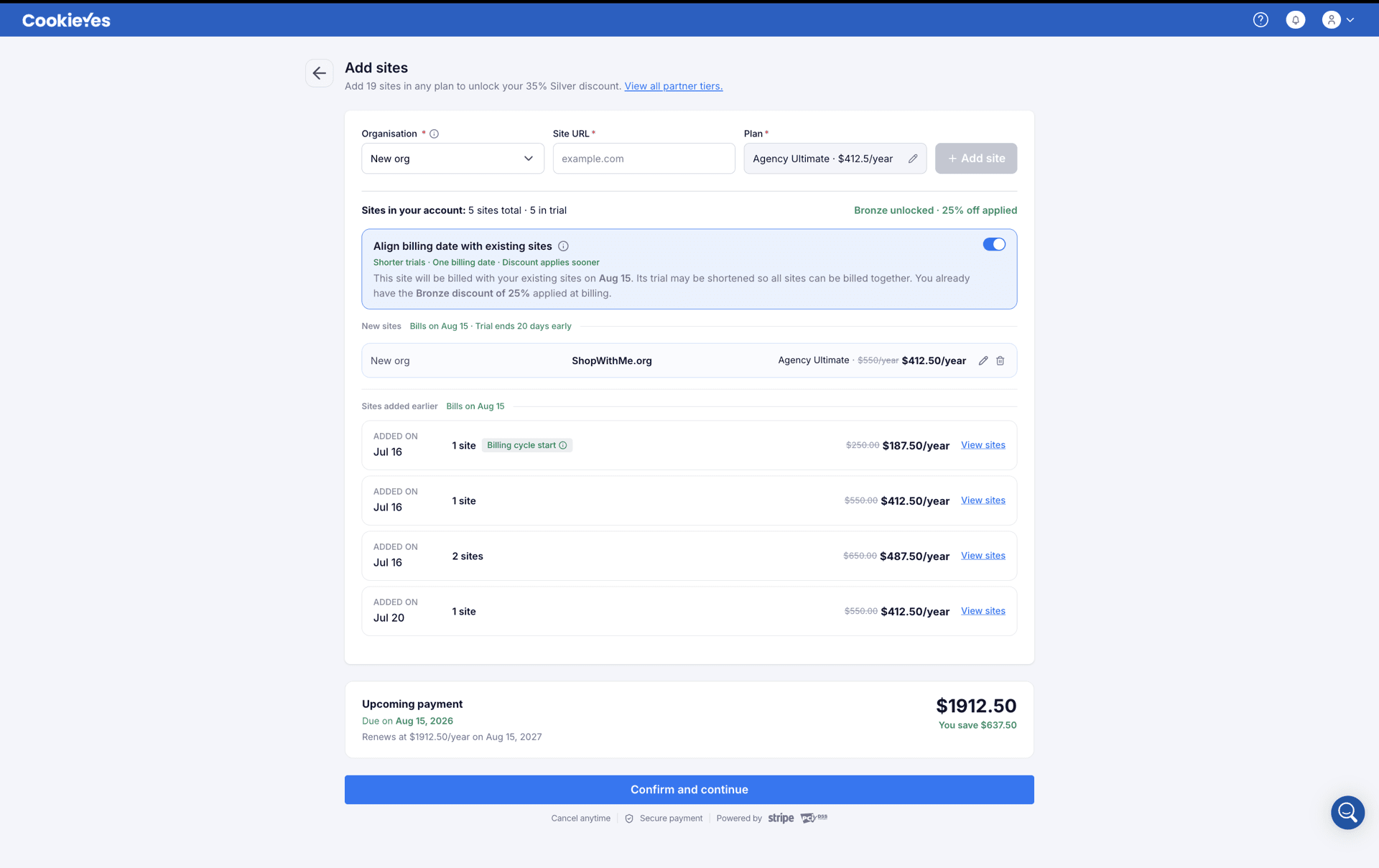
With alignment on
With alignment off
The new phase keeps its full 30-day trial and is first billed when that trial ends. Its first charge is prorated, covering only the period between its trial end and the account's next shared renewal date. From that renewal onward, it renews as part of the same shared subscription.
If the new phase qualifies your agency for a higher tier:
- the new phase receives the discount on its first (prorated) charge.
- earlier unaligned phases don't receive that discount on their own first prorated charge, but do from their next renewal, provided you still qualify.
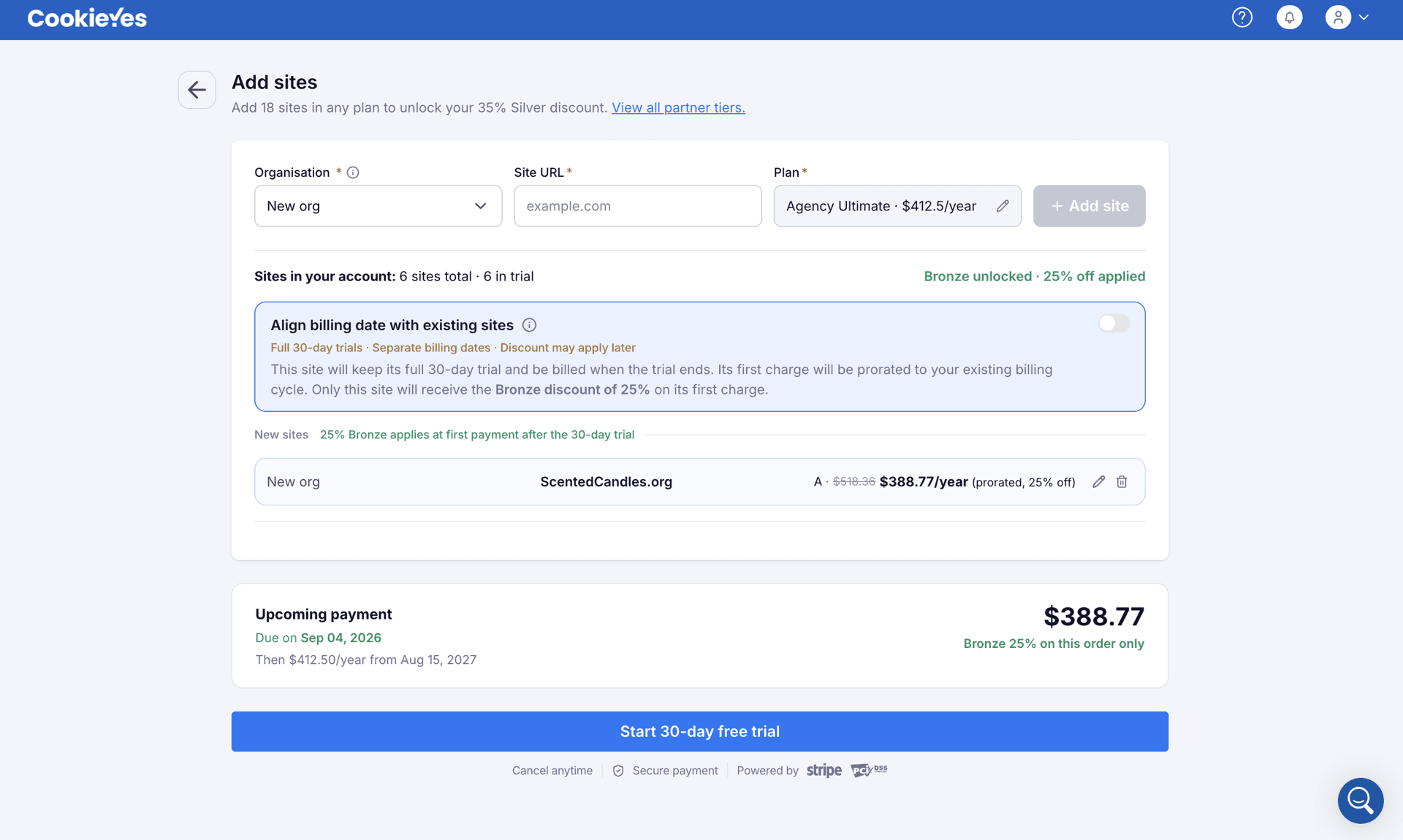
A prorated charge is a partial payment for the period between a phase's trial end and the account's next shared renewal date, not the full subscription price. It's charged immediately at trial end, sized to the days remaining, rather than delayed until the renewal date.
- Day 0: Phase 1 (2 sites) is added. Its 30-day trial begins.
- Day 20: Phase 2 (3 sites) is added. Phase 1 is still in trial, so the align option appears. The agency declines, so Phase 2 keeps its full 30-day trial, ending on Day 50.
- Day 30: Phase 1 bills. Only 2 sites are paid, so the account is at Starter tier with no discount. Day 30 becomes the account's fixed billing-cycle date.
- Day 45: Phase 3 (3 sites) is added. Phase 2 is still in trial, so the align option appears again. The account now has 8 sites, crossing the Bronze threshold of 5 sites (25% off). Because this addition crosses a tier, accepting alignment shortens Phase 3's trial to Phase 2's Day 50 end date and bills both phases together on Day 50 at the Bronze rate, rather than Phase 3 waiting until its own Day 75 end.
- Day 50: Phase 2 and Phase 3 (6 sites) bill together at Bronze, $75/site/year. Phase 1's 2 sites stay at the Starter rate until their own renewal on Day 395, when the account-wide count applies Bronze to them as well.
Cancelling a trial
If cancelling would drop your paid site count below a tier threshold, you're warned before confirming, with guidance on keeping your current tier.
For the steps, see Adding and managing sites in your agency account.
Deleting a site
If removing this site would move you to a lower tier, we'll let you know before you confirm, so you can decide whether to continue or keep it. To stay on your current tier, you may want to keep this site or add another to remain above the threshold.
For the steps, see Adding and managing sites in your agency account.
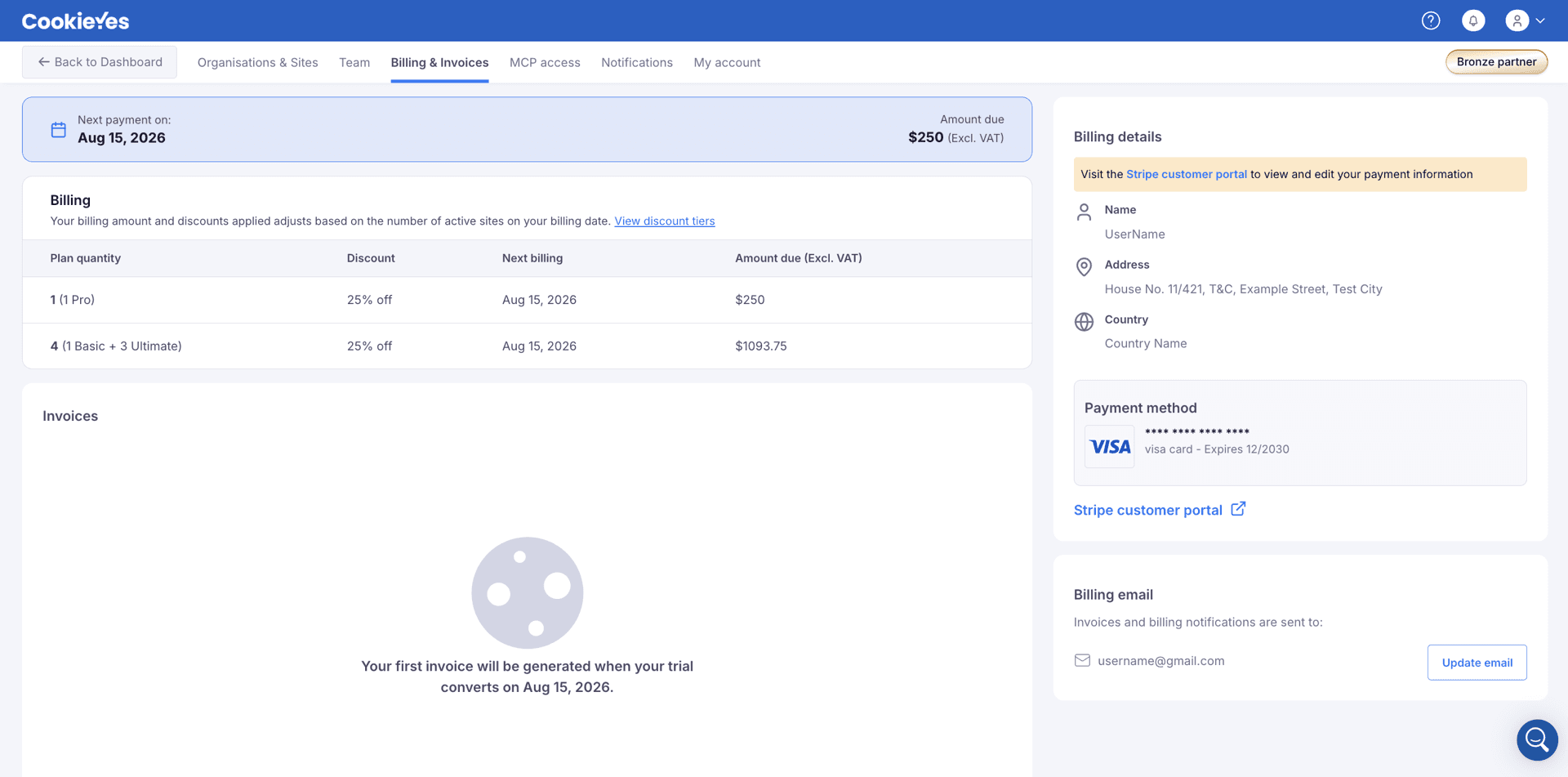
Viewing your billing
Your billing amount and discount update automatically as your paid site count changes. To view them, open the profile menu and go to the Billing & Invoices page, which shows your next payment date, amount due, and a breakdown by plan and discount.